
Task Bar Cube cheat table. Developer by DarkRook Interactive,
Publisher by DarkRook Interactive.
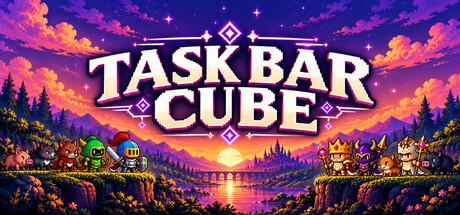
Game Description: A free-to-play idle RPG that runs on your Windows taskbar or fullscreen. Heroes fight on their own, gear comes in seven rarities with seven tiers each, and a small village of Hunting, Farming and Mining keeps resources coming in.
What a Table Can and Can’t Touch Here
Task Bar Cube has two sides. The offline progression (gold, ores, crafting materials, hero levels, Cube Upgrades) lives in your local save, and that’s what a table is useful for: skipping a slow stretch of grind or testing a class build. The weekly Online Ranking and the Steam chest drops are a different matter. They’re tied to your Steam account, and the chest items sell on the Community Market, so editing anything around them is asking for trouble.
The game came out on October 25, 2026 and is still getting frequent patches, so expect addresses to move after updates.
How to use Task Bar Cube Cheat Table?
- Install the latest Cheat Engine.
- Start the game, fullscreen is easier to work with than taskbar mode.
- Open the
.CTfile and attach it to the game process. - Enable only the entries for local resources and progression.
- Back up your save first; it syncs through Steam Cloud.


About the Game
Fusion, gem socketing and rarity/tier upgrades let you keep improving the same gear, five hero classes each have their own combat skill, and the Cube Upgrade system has hundreds of uncapped upgrades plus Prestige. Eight story chapters, daily quests and 46 achievements round it out. Minimum specs are Windows 10, a Core i3, 1 GB of RAM and a GT 730.
Illustrative diagram of the Cheat Engine workflow. Cheat tables are for single-player / offline use only.
Task Bar Cube Trainer
Looking for a Task Bar Cube trainer? A cheat table does the same job. Load the .CT file in Cheat Engine to enable single-player cheats — god mode, unlimited health, resources and more — exactly like a standalone Task Bar Cube trainer. No separate .exe trainer is needed; the Task Bar Cube cheat table provides the same options for the PC version. Use it in single-player / offline only.
Task Bar Cube Cheat Table — FAQ
Is the Task Bar Cube cheat table safe?
Cheat Engine and its tables edit game memory locally and are widely used for single-player games. Antivirus tools may show a false positive because memory-editing resembles what some malware does — this is expected. Only download from sources you trust, and use tables in single-player / offline play.
How do I load a .CT file in Cheat Engine?
Open Cheat Engine, click the folder/open-table icon, select the downloaded .CT file, then attach it to the Task Bar Cube process. Tick the cheats you want and use the listed hotkeys in-game.
Does the Task Bar Cube cheat table work on the latest version?
Cheat tables target a specific game build, so a big patch can break some options until the table is updated. Check the "Updated" date in the file information, and back up your saves before use.
Will I get banned for using it?
Use cheat tables in single-player / offline only. Do not use them in online or multiplayer modes — that can violate a game’s terms and lead to a ban.