
Brotato cheat table. Developer by Blobfish,
Publisher by Blobfish.
Game Description: A lone potato, the last survivor of a crash on an alien world, fights off swarms of aliens with up to six weapons in this top-down arena roguelite. Between waves you spend what you have collected in a shop, and each run is over in under half an hour.
What a Brotato Table Is Good For
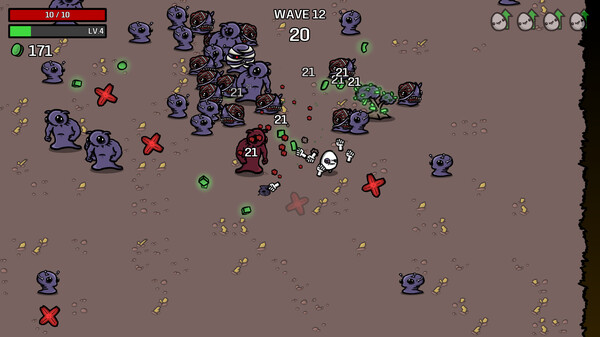
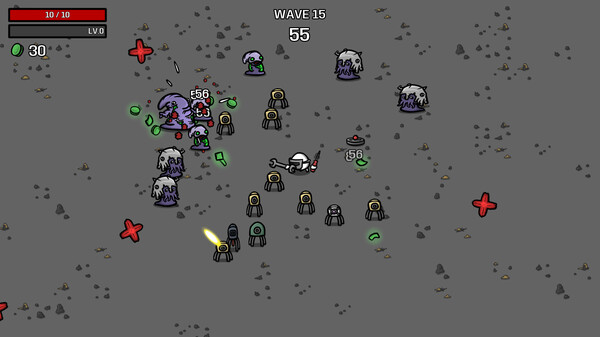
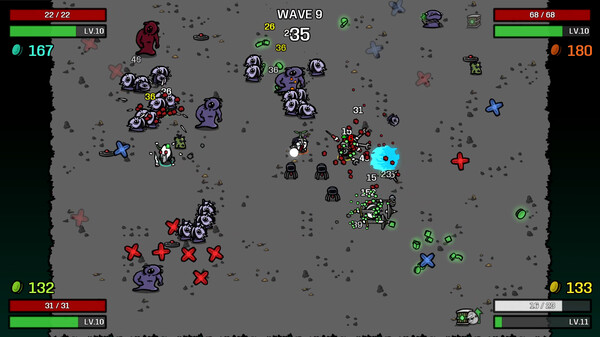
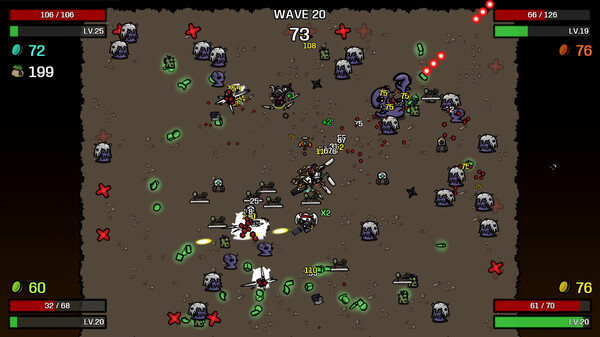
Brotato keeps the values worth changing on screen for the whole wave, which suits Cheat Engine well: you always know what number to search for. The Steam screenshots show a health readout such as 23 / 23, a level bar, a materials counter and a countdown under the wave number. A typical Brotato table would be built around those same readouts, with entries for health, materials, experience and the wave timer.
Because each of those numbers is visible, every change is easy to confirm. Edit a value, glance at the HUD, and you know at once whether the entry took, which matters when a wave can be as short as 20 seconds. The pause for shopping is the calm moment for edits, and if you want to see a weapon you rarely afford in action, raising materials before you buy is the shortest route.
Nothing on Brotato’s store listing points to an online account or server-side progress, so a table changes nothing beyond your own machine. Remote Play Together guests are playing a stream of your session, though, so they will feel every edit you make.
How to use Brotato Cheat Table?
- Back up your Brotato save folder to a location of your own. The game uses Steam Cloud, so restore from your copy rather than trusting the synced one.
- Install Cheat Engine and keep it open next to the game.
- Launch Brotato, load your save and start a run, so the values you plan to change are loaded into memory.
- Click the process selector in Cheat Engine and attach it to the Brotato process.
- Open the table through File > Open, tick the entries you need and make your changes while the shop is up between waves.
Brotato on Steam: Key Facts
Brotato entered Early Access on September 27, 2022 and reached its full release on June 23, 2023. The minimum PC spec is light: a 2 GHz CPU, 4 GB of memory and a 128 MB OpenGL 3+ graphics card on Windows 7 or newer, plus 200 MB of disk space, and macOS and Linux builds are listed too. Play is single-player or local co-op with as many as four players, backed by full controller support, accessibility settings for enemy damage, speed and health, 200 Steam achievements, Steam Workshop support and 13 supported languages.
Illustrative diagram of the Cheat Engine workflow. Cheat tables are for single-player / offline use only.
Brotato Trainer
Looking for a Brotato trainer? A cheat table does the same job. Load the .CT file in Cheat Engine to enable single-player cheats — god mode, unlimited health, resources and more — exactly like a standalone Brotato trainer. No separate .exe trainer is needed; the Brotato cheat table provides the same options for the PC version. Use it in single-player / offline only.
Brotato Cheat Table — FAQ
Is the Brotato cheat table safe?
Cheat Engine and its tables edit game memory locally and are widely used for single-player games. Antivirus tools may show a false positive because memory-editing resembles what some malware does — this is expected. Only download from sources you trust, and use tables in single-player / offline play.
How do I load a .CT file in Cheat Engine?
Open Cheat Engine, click the folder/open-table icon, select the downloaded .CT file, then attach it to the Brotato process. Tick the cheats you want and use the listed hotkeys in-game.
Does the Brotato cheat table work on the latest version?
Cheat tables target a specific game build, so a big patch can break some options until the table is updated. Check the "Updated" date in the file information, and back up your saves before use.
Will I get banned for using it?
Use cheat tables in single-player / offline only. Do not use them in online or multiplayer modes — that can violate a game’s terms and lead to a ban.