
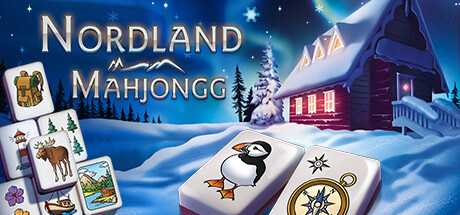
Nordland Mahjongg cheat table. Developer by magnussoft,
Publisher by magnussoft.
Game Description: A relaxing Mahjongg solitaire game with three variants, many boards, hand-drawn tile sets with Nordic and classic Chinese motifs, selectable perspective and zoom.
What a Table Is Good for in a Mahjongg Game
Tile-matching games don’t have much to edit. There’s no health, no currency and no inventory. What a table can usually reach in a Mahjongg game is the help system (hints, shuffles), a timer if the mode uses one, and the score. That’s useful on a board that keeps ending in a dead end, or if you’re chasing a particular score.
Nordland Mahjongg came out in November 2023 and is a small, stable game, so entries usually keep working.
How to use Nordland Mahjongg Cheat Table?
- Install the latest Cheat Engine.
- Start the game and open a board.
- Open the
.CTfile and attach it to the game process. - Enable the entries you need. Values usually update after your next match.
- Your progress syncs through Steam Cloud, so keep a local backup.


About the Game
magnussoft offers three Mahjongg variants and plenty of boards, with tile sets and backgrounds you can mix and match. It runs on Windows 7 through 11 with 200 MB of RAM and onboard graphics, and it’s available in English and German.
Illustrative diagram of the Cheat Engine workflow. Cheat tables are for single-player / offline use only.
Nordland Mahjongg Trainer
Looking for a Nordland Mahjongg trainer? A cheat table does the same job. Load the .CT file in Cheat Engine to enable single-player cheats — god mode, unlimited health, resources and more — exactly like a standalone Nordland Mahjongg trainer. No separate .exe trainer is needed; the Nordland Mahjongg cheat table provides the same options for the PC version. Use it in single-player / offline only.
Nordland Mahjongg Cheat Table — FAQ
Is the Nordland Mahjongg cheat table safe?
Cheat Engine and its tables edit game memory locally and are widely used for single-player games. Antivirus tools may show a false positive because memory-editing resembles what some malware does — this is expected. Only download from sources you trust, and use tables in single-player / offline play.
How do I load a .CT file in Cheat Engine?
Open Cheat Engine, click the folder/open-table icon, select the downloaded .CT file, then attach it to the Nordland Mahjongg process. Tick the cheats you want and use the listed hotkeys in-game.
Does the Nordland Mahjongg cheat table work on the latest version?
Cheat tables target a specific game build, so a big patch can break some options until the table is updated. Check the "Updated" date in the file information, and back up your saves before use.
Will I get banned for using it?
Use cheat tables in single-player / offline only. Do not use them in online or multiplayer modes — that can violate a game’s terms and lead to a ban.