

Queen’s Domain cheat table. Developer by Freshly Baked Games LLC,
Publisher by Future Friends Games.
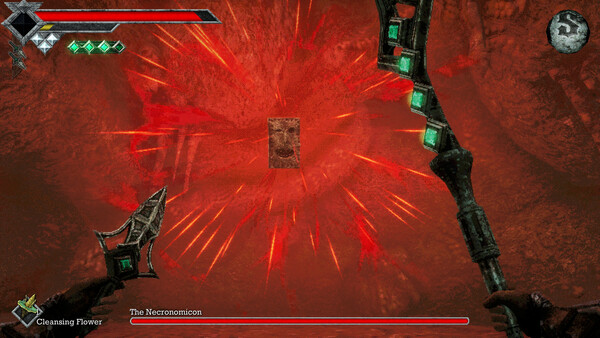
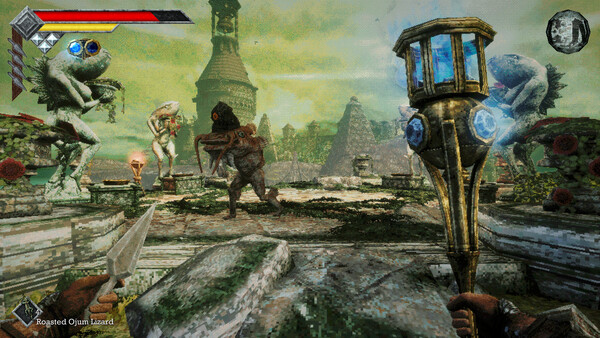
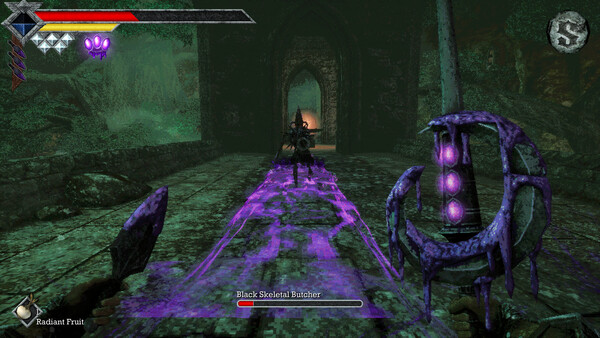
Game Description: A castaway combs the maze-like Isle of Neasied for a lost father in this retro-fantasy action RPG, using the Holy Sword Endu to clear gaps and fighting through stamina-based battles against more than 100 enemies and bosses.
What a Table Can Change on Neasied
Cheat Engine tables work best in games that keep progress as plain numbers, and Queen’s Domain has several of those. Stamina is the first one most people hunt for, since a combat meter like that moves often enough to pin down with a changed or unchanged value scan. XP and character level come next, followed by the stats that food can raise.
Gear is the other big target. The game counts over 50 melee weapons to track down and improve, upward of 20 kinds of throwing weapons and a set of accessories, which adds up to a lot of collecting before you can compare builds. If the game stores upgrade progress and item counts as simple values, entries for them let you start experimenting much earlier in a run.
One technical point applies to every table. Memory addresses can move when a game is patched, which is why well-made tables rely on pointers or code-injection scripts rather than fixed addresses. If an entry shows question marks or a nonsense value after a Queen’s Domain update, the table no longer matches that build of the game. Steam lists no online modes for it, so a mismatch puts nothing at risk except your own save.
How to use Queen’s Domain Cheat Table?
- Install Cheat Engine from its official website.
- Copy your Queen’s Domain save to a separate folder, then launch the game through Steam and load that save.
- Open the table file (.CT) in Cheat Engine, click the computer icon at the top left and choose the Queen’s Domain process.
- Tick the box next to an entry to activate it. Entries for values like stamina or XP often read correctly only after the value changes once in game, so play for a moment first.
- Turn entries off before saving, then check that the new save loads properly before you delete the backup.
Requirements, Modes and Languages
Queen’s Domain is a Windows-only release for one player. At minimum it wants a 64-bit Windows 10 PC with an Intel Core i5 quad core at 2.5 GHz, 4 GB of RAM, a GTX 760 or RX 560 and 1500 MB of free space, and Steam recommends 6 GB of RAM with a GTX 1060 or RX 580. There are 53 achievements, saves sync through Steam Cloud and controllers are fully supported. The text is available in eight languages, running from English and Japanese to Russian and Simplified Chinese.
Illustrative diagram of the Cheat Engine workflow. Cheat tables are for single-player / offline use only.
Queen’s Domain Trainer
Looking for a Queen’s Domain trainer? A cheat table does the same job. Load the .CT file in Cheat Engine to enable single-player cheats — god mode, unlimited health, resources and more — exactly like a standalone Queen’s Domain trainer. No separate .exe trainer is needed; the Queen’s Domain cheat table provides the same options for the PC version. Use it in single-player / offline only.
Queen’s Domain Cheat Table — FAQ
Is the Queen’s Domain cheat table safe?
Cheat Engine and its tables edit game memory locally and are widely used for single-player games. Antivirus tools may show a false positive because memory-editing resembles what some malware does — this is expected. Only download from sources you trust, and use tables in single-player / offline play.
How do I load a .CT file in Cheat Engine?
Open Cheat Engine, click the folder/open-table icon, select the downloaded .CT file, then attach it to the Queen’s Domain process. Tick the cheats you want and use the listed hotkeys in-game.
Does the Queen’s Domain cheat table work on the latest version?
Cheat tables target a specific game build, so a big patch can break some options until the table is updated. Check the "Updated" date in the file information, and back up your saves before use.
Will I get banned for using it?
Use cheat tables in single-player / offline only. Do not use them in online or multiplayer modes — that can violate a game’s terms and lead to a ban.