
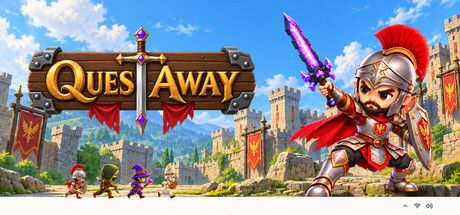
QuestAway cheat table. Developer by ART X GAMES,
Publisher by ART X GAMES.
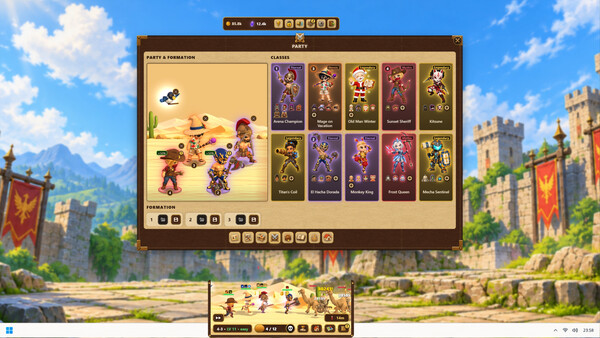
Game Description: A free-to-play idle RPG that runs in a small window next to your taskbar. You build a party of up to four heroes from ten classes, send them through 300 stages and collect loot while you do other things.
Read This Before Attaching Cheat Engine
QuestAway isn’t a typical offline game. It sells Crystals on Steam (four of the ten classes need them), all players fight a shared Colossus twelve times a day, and the store page lists online co-op and PvP, with Clan Wars planned. It doesn’t say how much of your progress is stored locally and how much is checked online.
That makes a cheat table a risky idea here. Crystals are paid currency and no table will give them to you, and editing values in a free-to-play game with purchases and PvP is exactly the kind of thing that gets accounts flagged. If you still want to look at memory values, do it on a fresh, throwaway save and never around the Colossus or PvP.
What QuestAway Is Actually About
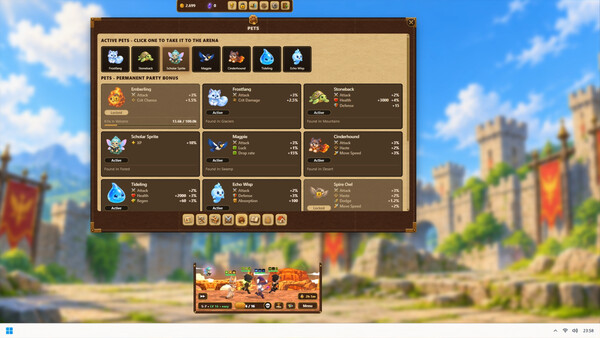
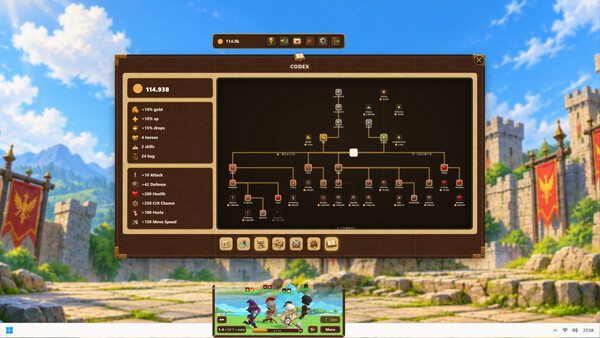
The idle loop is simple: your party fights by itself, you check in, equip what dropped, spend points and send them somewhere harder. Under that sits a lot of depth: three maps with ten biomes each and a boss at the end of every biome, 110 monsters, gear from Common to Eternal, a workbench for forging, gems, enchanting and +10 enhancements, a 2,224-node passive tree and 20 skills per class.
QuestAway System Requirements
Windows 10 64-bit, a 2.0 GHz dual-core CPU, 4 GB of RAM, a DirectX 11 GPU and 2 GB of storage. The arena window scales from 0.5x to 1.5x, and the game has 100 Steam achievements.
Illustrative diagram of the Cheat Engine workflow. Cheat tables are for single-player / offline use only.
QuestAway Trainer
Looking for a QuestAway trainer? A cheat table does the same job. Load the .CT file in Cheat Engine to enable single-player cheats — god mode, unlimited health, resources and more — exactly like a standalone QuestAway trainer. No separate .exe trainer is needed; the QuestAway cheat table provides the same options for the PC version. Use it in single-player / offline only.
QuestAway Cheat Table — FAQ
Is the QuestAway cheat table safe?
Cheat Engine and its tables edit game memory locally and are widely used for single-player games. Antivirus tools may show a false positive because memory-editing resembles what some malware does — this is expected. Only download from sources you trust, and use tables in single-player / offline play.
How do I load a .CT file in Cheat Engine?
Open Cheat Engine, click the folder/open-table icon, select the downloaded .CT file, then attach it to the QuestAway process. Tick the cheats you want and use the listed hotkeys in-game.
Does the QuestAway cheat table work on the latest version?
Cheat tables target a specific game build, so a big patch can break some options until the table is updated. Check the "Updated" date in the file information, and back up your saves before use.
Will I get banned for using it?
Use cheat tables in single-player / offline only. Do not use them in online or multiplayer modes — that can violate a game’s terms and lead to a ban.